
Game Talk
Iterative Design: Feedback in Educational Games
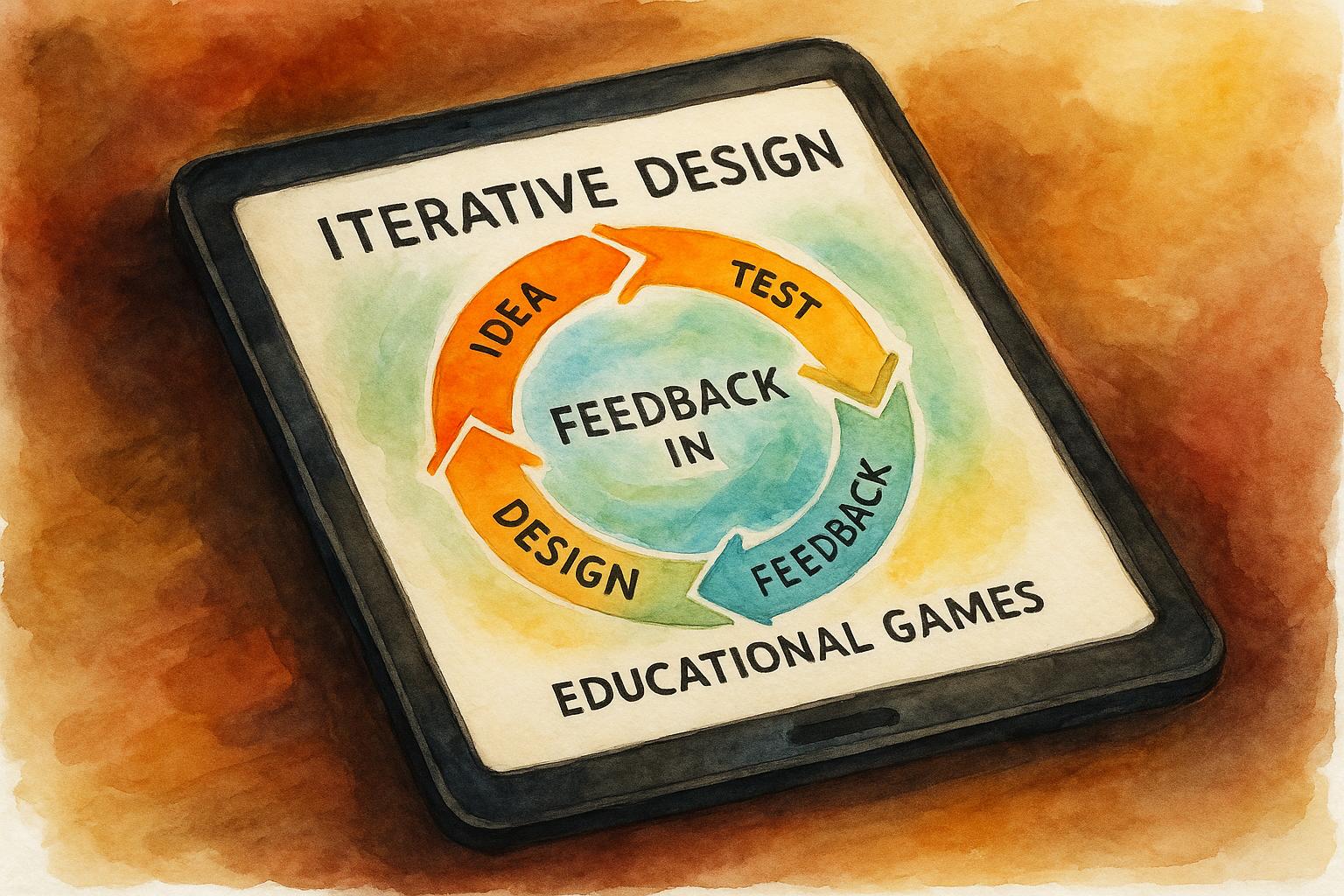
Iterative design is a process that improves educational games by repeatedly testing, gathering feedback, and refining. This approach focuses on balancing fun and learning, ensuring the game engages players while achieving educational goals. Key takeaways:
- Iterative Design Process: Develop prototypes, test with users, collect feedback, refine, and repeat.
- Feedback Loops: Combine input from learners and experts to enhance usability, engagement, and educational value.
- Real Examples: Games like Cellverse and Mission HydroSci improved significantly through structured feedback and iteration.
- Challenges: Iterative design can be resource-intensive, with risks like scope creep and diminishing returns. However, early testing and clear priorities help mitigate these issues.
How to design with feedback and game feel in mind - Unite Copenhagen
Research Findings: Feedback and Iteration in Learning Games
Studies reveal that incorporating iterative feedback cycles into the development of educational games leads to better engagement and improved learning outcomes. Games crafted with systematic user input, combining learner perspectives and expert insights, consistently outperform those developed without such cycles. This dual approach ensures educational games are both engaging and effective.
User Feedback: What Learners Tell Us
Extensive research underscores the importance of learner feedback in refining educational games. A standout example is the Mission HydroSci study, which involved over 900 players. Conducted in 2024, this research used a mix of methods to identify gameplay challenges and translate negative feedback into actionable design improvements.
Negative feedback from players often highlights barriers to engagement and areas where educational content may fall short of learning goals. By addressing these frustrations, researchers and developers were able to make targeted changes that enhanced the game’s educational impact across the board.
To gather meaningful feedback, researchers use validated tools designed to measure engagement and learning outcomes. For instance:
- The Intrinsic Motivation Inventory evaluates player engagement.
- Knowledge and Attitude Assessments track learning progress.
- Tools like the Positive Affect, Negative Affect Scale (PANAS) and the Player Experience Questionnaire provide quantitative insights to inform design refinements.
A practical example of this process is the Connections social game development project. During its 2024 testing phase, developers collected player feedback focusing on four areas: card content, gameplay ease, duration, and overall enjoyment. Players noted that collaboratively reading instructions and setting up the game served as an effective warm-up. Based on this input, developers adjusted rule wording, fixed typos, and improved card content to enhance the overall experience.
Classroom implementations further demonstrate the value of structured feedback. In one Year 7-8 class, students became adept at managing the feedback process independently. Meanwhile, a Year 5-6 class collaborated with a partner school, exchanging game prototypes and video feedback. Teachers observed that this authentic exchange motivated even reluctant writers to engage more actively.
While learner feedback drives engagement-focused improvements, expert reviews ensure these games meet rigorous educational standards.
Expert Feedback: Input from Educators and Designers
Expert feedback plays a crucial role in aligning educational games with learning objectives and pedagogical standards. Educators and subject matter experts provide critical evaluations of instructional clarity, content accuracy, and how well game mechanics support educational goals.
For example, the development of Cellverse relied heavily on expert reviews to refine its scientific content and instructional elements.
Unlike learners, who focus on aspects like fun, difficulty, and engagement, experts assess whether the game effectively teaches its intended material. They evaluate clarity, age-appropriateness, and compatibility with existing curriculum standards.
Collaborative teams - comprising educators, designers, and students - further enhance the iterative process. This multi-perspective approach ensures that games are not only engaging but also deliver measurable educational benefits. Research consistently shows that games developed with input from both users and experts outperform those relying on only one type of feedback.
Comparisons between game-based learning and traditional teaching methods reveal that iteratively designed games often lead to greater knowledge gains and engagement. While the differences may be modest, the adaptability of these games - enabled by continuous feedback - makes them increasingly competitive with standard instructional methods and better suited to diverse learning environments.
The evidence is compelling: combining structured feedback from both learners and experts results in educational games that are not only enjoyable but also instructionally sound. This dual-input strategy addresses the challenge of creating games that are both fun and effective learning tools.
Real Examples: Case Studies in Iterative Design
Case Study: How One Educational Game Evolved
Take Cellverse, a virtual reality biology game created by MIT’s CLEVR team in 2019, as a prime example of how iterative design can reshape educational games. The game’s original goal? To teach high school students about cell biology by immersing them in a virtual lung cell where they diagnose and treat a genetic disorder.
But during early playtesting, the team hit some roadblocks. Students found the gameplay instructions unclear, the storyline confusing, and the biological concepts hard to grasp. Instead of pushing forward with these issues, the team committed to refining the game through multiple iterations.
To gather feedback, they used a mix of methods: observing in-game interactions, conducting semi-structured interviews, and reviewing video recordings of play sessions. These efforts captured insights from both students and biology teachers, ensuring the game addressed both learner needs and expert expectations.
The feedback led to several key updates:
- Clearer gameplay instructions to make objectives easier to understand.
- A revised narrative structure to guide players more effectively.
- Adjusted in-game goals to better align with educational outcomes.
- Enhanced portrayal of biological concepts to improve scientific accuracy.
After these changes, students showed a stronger grasp of cell biology and reported being more engaged. Teachers also noted that the updated game better supported their curriculum objectives.
Another example comes from the 2023 development of Connections, a social tabletop game. The development team conducted extensive playtesting with both internal and external participants, collecting written feedback on everything from card content and rule clarity to gameplay duration and overall enjoyment. Early feedback flagged confusing rules and some card content as inappropriate for the target audience. In response, the team refined the rule wording, reworked problematic content, and adjusted the game’s length to match player preferences. These changes not only made the game more enjoyable but also increased players’ willingness to replay it. This highlights how thoughtful feedback can transform even the smallest details into a better overall experience.
What We Learned from Iterative Design
These examples reveal several important lessons about turning feedback into meaningful design improvements. Successful teams categorized feedback into specific areas - such as gameplay mechanics, instructional clarity, content accuracy, and user engagement - and tackled each systematically during subsequent iterations.
Organized feedback processes also made a difference. For instance, teachers found that using sentence starters encouraged more constructive input, while exchanging prototypes with partner schools inspired even the most hesitant students to engage in revisions.
Balancing different perspectives was another challenge, but it paid off. Students prioritized fun, challenge, and engagement, while educators focused on clarity, accuracy, and curriculum alignment. Merging these viewpoints led to designs that were both engaging and educational.
Timing was crucial, too. Teams that sought feedback early and throughout the development process avoided becoming too attached to features that didn’t work well for learners. This approach allowed them to make impactful changes with less effort. Above all, fostering a mindset that embraces feedback as an opportunity for improvement enabled teams to create more effective designs.
Even projects like MINIFINITI, which fine-tunes its mechanics through weekly playtests, demonstrate how iterative design can drive success across both digital and physical games. It’s a reminder that constant refinement, guided by thoughtful feedback, is key to creating experiences that resonate.
sbb-itb-7b84150
How to Gather and Use Feedback Effectively
Collecting feedback isn’t just about asking players what they think - it’s about using the right methods at the right moments and knowing how to turn those insights into practical improvements. Research highlights that successful educational game developers use multiple feedback techniques to capture both the player’s experience and expert insights on learning.
Building on previous examples, gathering feedback effectively is central to refining your design through iteration.
Methods for Collecting Feedback
Playtesting in iterative stages is a cornerstone of effective feedback collection. This involves testing your game at various development phases, from early paper sketches to digital prototypes, rather than waiting for a polished product. The benefit? You can identify and fix major issues early, saving time and resources that might otherwise go into features that don’t work.
Semi-structured interviews help uncover the reasons behind player behavior. Observing players can show you what they do, but interviews dig deeper into their thought processes, emotions, and decision-making. These conversations often reveal problems players might not mention in written feedback, like confusion about objectives or frustration with specific mechanics.
Video observation and in-game data collection provide insight into behaviors that verbal feedback might miss. For instance, you can spot moments where players hesitate, struggle, or repeatedly make the same mistakes. This method is particularly useful for identifying areas where players abandon certain game elements.
Written feedback surveys allow for systematic analysis across a larger player base. For example, developers of the tabletop game Connections used surveys to evaluate card content, rule clarity, game length, and overall enjoyment. This structured approach helped them identify patterns in the feedback and make informed decisions.
The most effective approach combines these methods rather than relying on just one. For instance, one study began with written feedback from team members and acquaintances, then expanded to include observations of player comfort and understanding of procedures. By blending explicit feedback (what players say) with implicit feedback (what their behavior shows), you get a fuller picture of how your game performs.
Starting with feedback on paper-based designs before moving to digital production can save significant time and resources. Even simple prototypes can reveal whether your core mechanics resonate with players, helping you avoid progressing too far down an ineffective design path.
These varied methods feed directly into refining your game design, as explained below.
How to Turn Feedback into Design Improvements
Once you’ve gathered diverse feedback, the next step is to turn those insights into actionable design changes. Organize feedback into specific categories like gameplay clarity, content quality, user experience, and engagement. Grouping related issues makes it easier to address them systematically.
Identify patterns: If multiple players report the same confusion, it’s likely a systemic issue rather than individual preference. For instance, if several players struggle with understanding a rule, it’s a clear sign that instructions need to be clarified. On the other hand, individual preferences often reflect personal taste and don’t always require changes.
Sort feedback into actionable groups: For example, separate content-related issues (spelling errors, unclear text), procedural concerns (confusing rules, setup problems), and experiential feedback (enjoyment, pacing, replayability). Each type of feedback requires a different approach and can be tackled at different stages of development.
Combine user feedback on engagement with expert reviews of instructional accuracy, then re-test changes with players. While players can tell you if the game is fun and easy to follow, experts ensure that the game effectively teaches the intended material.
When faced with conflicting feedback, dig deeper to understand the root cause rather than just averaging opinions. For example, if some players think the game is too long while others find it too short, consider whether this reflects differences in skill levels, experience, or learning styles. Solutions like adjustable difficulty settings or modular content might address these discrepancies without altering the core game.
Document feedback and revisions to track your progress and avoid repeating mistakes. This documentation also serves as a valuable resource for future projects.
The iterative process involves reviewing feedback, identifying high-priority changes, implementing revisions, and testing again with new players to confirm that the changes improved the experience. This continuous loop brings you closer to creating an educational game that’s both engaging and effective at achieving its learning goals.
Benefits and Drawbacks of Iterative Design
Iterative design, while highly effective in improving engagement and learning outcomes, comes with its own set of challenges. By weighing the pros and cons, development teams can make smarter decisions about when and how to use this approach in their projects.
One of the standout advantages is better learning outcomes. Research has shown that iterative cycles - through constant testing and refinement - can significantly enhance clarity and educational value. Another major benefit is the early detection of problems. By testing prototypes at different stages, teams can identify usability issues or gaps in educational content before they escalate into costly problems. Fixing these issues early not only saves money but also ensures smoother progress in future iterations.
However, iterative design isn’t without its hurdles. For one, it demands more resources than traditional methods. Each cycle of testing, collecting data, and revising takes time and money, which can be a major strain for smaller studios or organizations with tight budgets. There’s also the risk of scope creep - as teams gather feedback, they may find themselves tempted to add new features or make endless tweaks, leading to delays, higher costs, and even straying from the project’s original goals.
Another challenge is the possibility of diminishing returns. While early iterations often bring noticeable improvements, later cycles might only deliver minor gains, making it harder to justify the continued investment of time and resources. On top of that, managing feedback from a wide range of stakeholders - students, educators, subject matter experts, and more - can result in conflicting recommendations, further complicating the decision-making process.
Comparison Table: Pros and Cons of Iterative Design
Benefits
Drawbacks
Better learning outcomes through continuous testing and improvement
Higher costs and longer timelines due to multiple iterations
Early detection of issues, reducing expensive fixes later
Risk of scope creep with ongoing feature additions
Increased engagement by responding to user feedback
Diminishing returns from excessive iteration cycles
Improved alignment with learning goals by incorporating expert and user input
Challenges in managing conflicting stakeholder feedback
Enhanced usability and clarity through repeated testing
Resource strain, especially for smaller teams
Tailored solutions based on real user behavior
Delays in product launches due to extended development phases
Despite these challenges, many developers in the educational game space find the benefits worth the effort - provided they use thoughtful project management strategies. Setting clear limits on the number of iterations, prioritizing feedback based on feasibility and impact, and allocating specific resources for iterative phases can help teams stay on track.
For example, companies like MINIFINITI have demonstrated how community playtesting sessions can offer a cost-effective way to gather feedback. By leveraging these kinds of approaches, developers can reduce formal testing expenses while still reaping the rewards of iterative design. This balance between creativity and practicality lays the groundwork for successful implementation.
Conclusion: Main Points and Future Directions
Iterative design is transforming educational games into effective learning tools. By embracing cycles of feedback, developers can create games that not only captivate students but also deliver measurable learning results. The secret lies in viewing feedback as a critical resource rather than an afterthought.
As highlighted in earlier case studies, structured feedback processes reveal design flaws and lead to improvements in both engagement and educational value. This approach ensures that educational games remain enjoyable while staying aligned with learning objectives.
Research shows that games developed using iterative feedback often outperform traditional lectures in terms of knowledge retention and student engagement. However, the relatively modest effects observed in studies underscore the importance of thoughtful implementation. Success hinges on how well the methodology is applied, not just its adoption.
Action Steps for Designers
To effectively integrate iterative design, developers need a structured and balanced approach that blends creativity with practical constraints. Regular feedback loops involving students, educators, and experts are essential. Documenting each iteration and using measurable data to inform design changes can significantly enhance outcomes.
This collaborative approach uncovers issues that might go unnoticed by any single group. For instance, case studies highlight the value of exchanging prototypes across different teams for fresh perspectives. Translating feedback into specific, measurable design updates - and validating these updates through further testing - ensures continuous improvement.
Companies like MINIFINITI illustrate how engaging the community can enhance iterative design. Their weekly game nights provide a natural setting for gathering diverse feedback while fostering the social connections that make educational games more impactful and memorable.
Looking ahead, emerging technologies are poised to refine and accelerate these iterative methods.
New Trends in Game-Based Learning
Building on established iterative practices, advancements in technology are opening new doors for educational game design. AI-powered feedback systems, for example, now enable real-time adjustments based on individual student performance, creating personalized learning experiences that adapt instantly to users’ needs.
Another promising development is the use of advanced multi-agent systems. These systems leverage algorithms to enhance both the user experience and learning outcomes through continuous, automated iterations. By processing feedback from multiple sources simultaneously, they identify patterns and make adjustments that would be difficult for human designers to manage alone.
Data analytics is also revolutionizing feedback collection and analysis. Instead of relying solely on surveys or focus groups after gameplay, developers can now monitor player behavior in real-time. This allows them to pinpoint moments of disengagement, confusion, or learning breakthroughs as they occur.
The increasing focus on cross-disciplinary collaboration is reshaping the field as well. Teams that bring together game designers, educators, cognitive scientists, and students from the start are producing games that are both engaging and educationally effective. This approach ensures that iterative design supports learning goals and player engagement from the very beginning.
As these technologies evolve, the iterative design process is becoming faster and more responsive. Tasks that once took weeks - such as gathering and analyzing feedback - can now be done in real-time, allowing developers to experiment and refine their games at a pace that matches the changing needs of learners.
FAQs
How does iterative design improve the educational impact of games compared to traditional development approaches?
Iterative design plays a key role in boosting the educational value of games by weaving continuous feedback and refinement into the development process. This method gives developers the chance to test and tweak gameplay mechanics, educational content, and user engagement as they go, ensuring the game aligns with its learning goals.
By actively listening to player feedback, developers can pinpoint areas that need improvement - like adjusting the difficulty level or clarifying instructions. This not only makes the game more enjoyable and immersive but also helps it cater to a variety of learning styles and needs. In the end, iterative design ensures educational games are both captivating and effective.
How can developers effectively handle resource demands and scope creep during the iterative design process?
Managing resource demands and avoiding scope creep in iterative design takes thoughtful planning and prioritization. Start by establishing clear objectives and boundaries for your project. This keeps the team focused on what truly matters and minimizes the chances of veering off course. Make it a habit to revisit these goals regularly to track progress and steer clear of unnecessary expansions.
A smart approach is to implement structured, time-bound feedback loops. Collecting input at defined intervals allows you to fine-tune the design step by step without stretching resources too thin. Equally important is fostering open communication within your team and with stakeholders. This ensures everyone is on the same page and helps prevent conflicting priorities from derailing the project.
To maintain control over timelines and budgets, consider leveraging tools like task management software or project trackers. These tools provide a clear overview, making it easier to spot issues early and make adjustments as needed. By staying organized and proactive, you can navigate the design process more smoothly and efficiently.
How can developers balance input from learners and experts to create educational games that are both fun and effective?
Developers should make it a priority to gather feedback from two key groups during the design process: learners and subject matter experts. Learners can share valuable insights about what keeps the game engaging and easy to navigate, while experts ensure the educational content is accurate and aligns with the intended learning objectives.
An iterative design process makes all the difference. Regularly testing the game with small groups, analyzing their feedback, and making necessary adjustments can refine both the fun factor and the educational value. This method ensures the game strikes a balance between being enjoyable and achieving its teaching goals.