
Game Talk
10 Ways to Make Game Night Inclusive for Everyone
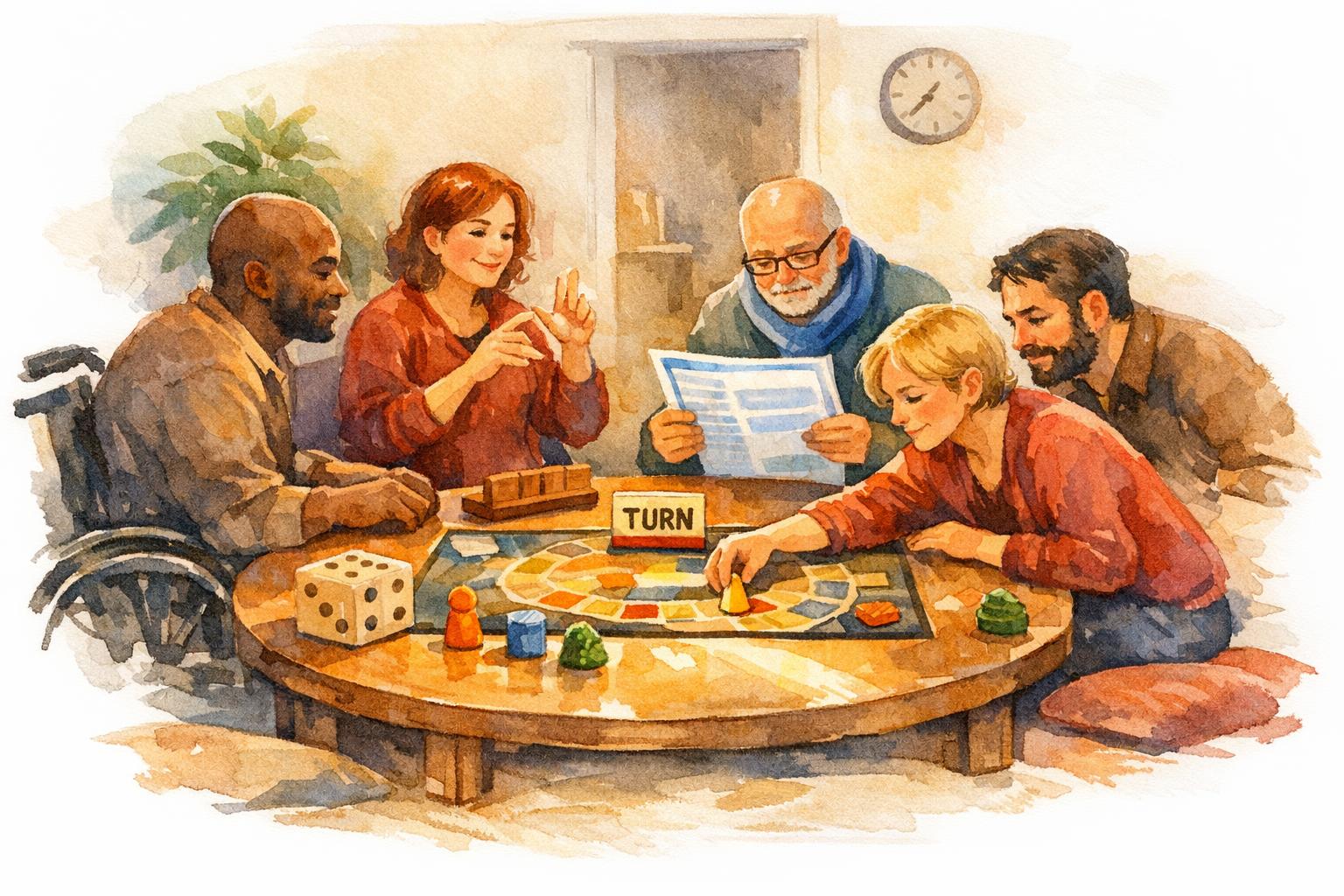
Game nights are a great way to connect, but they can sometimes unintentionally leave people out. To make sure everyone feels comfortable and engaged, here are 10 simple tips:
- Choose Accessible Games: Look for games with features like braille, large-print cards, or colorblind-friendly symbols (e.g., Uno Braille or Ticket to Ride).
- Adjust Rules for Physical Needs: Modify rules or use tools like electronic dice rollers to accommodate mobility or dexterity challenges.
- Improve Visibility and Sound: Use good lighting, high-contrast game pieces, and tactile markers. For auditory needs, offer visual cues or written instructions.
- Simplify Instructions: Explain the game’s goal first, use visuals like reference cards, and consider a practice round to help players learn as they play.
- Try Cooperative Games: Games like Pandemic or Forbidden Island encourage teamwork, making it easier for everyone to participate.
- Offer Flexible Roles: Let guests join as observers, scorekeepers, or organizers if they don’t want to actively play right away.
- Set Up an Accessible Space: Ensure clear pathways, comfortable seating, and good table height for all guests.
- Ask About Needs: Check in with guests beforehand about dietary restrictions, accessibility requirements, and game preferences.
- Mix Skill Levels: Use team-based games like Codenames to balance experience levels and encourage collaboration.
- Explore Social Games: Games like Red Tape or one-shot RPGs are easy to pick up and fun for everyone.
10 Ways to Make Game Night Inclusive for Everyone
1. Pick Games with Adaptive Tools
Games equipped with adaptive tools allow players with varying needs to join in without requiring extra assistance. Instead of relying on standard game components that might exclude some people, look for options that include features like braille markings, large-print cards, or symbols designed for colorblind accessibility. These thoughtful adaptations make gaming more inclusive and enjoyable for everyone.
Take Uno Braille, for instance. Created in partnership with the National Federation of the Blind, this version of Uno includes braille on all 112 cards, with tactile markings like “r5” to denote a Red 5 card. Another example is Uno ColorAdd, released by Mattel in 2017. It incorporates graphic symbols alongside colors to help colorblind players identify cards with ease. For traditional card games, consider Accessible Playing Cards, which feature jumbo 3×5″ cards, high-contrast characters, and UV braille.
You can also enhance existing games yourself. Add large-print dice (32 mm), tactile stickers for tokens, or even use a smart speaker like Alexa to roll virtual dice.
Here’s an eye-opening statistic: At a table of six players, there’s a 23% chance that someone is colorblind. That likelihood jumps to 82% with 40 players. Games like Ticket to Ride and The Isle of Cats tackle this by using symbols alongside colors, ensuring everyone can participate.
“If your game is accessible to more people, then you’ll get it to the table more often”.
Brian Chandler of Colorblind Games sums it up perfectly. Starting with adaptive tools creates a level playing field, so everyone can enjoy the game together.
sbb-itb-7b84150
2. Modify Rules for Physical Limitations
Making adjustments to game rules for players with physical limitations isn’t about reducing the challenge - it’s about ensuring that everyone can take part and enjoy the experience. For players with mobility challenges, tweaking the rules can level the playing field without compromising the fun.
For games that involve physical actions, consider changes like counting only hits to the body, requiring two tags for activation, or using fixed turn orders. These small shifts can make a big difference in keeping the gameplay fair and accessible for everyone involved.
Wesley Magee-Saxton, Co-founder of Forge Ahead: A Party to Access, highlights the importance of this approach:
Ensure supports are in place for managing challenging physical aspects and address each player’s access needs.
Technology can also be a game-changer. Tools like electronic dice rollers, tablet apps, or digital character sheets can assist players with limited dexterity. They can even help move game pieces when necessary. Rachel Voss, another Co-founder of Forge Ahead, puts it into perspective:
It’s a tool, just like a wrench, just like your armor, or your shield, or your sword in fantasy stuff.
Before game night, take the time to talk with players about their needs. Explain any adjustments by focusing on the game’s overall goals. And to keep things running smoothly, have a backup game ready in case the modifications lead to delays or frustration.
3. Make Games Easier to See and Hear
Improving sensory accessibility in games ensures that every player can participate and enjoy the experience. Thoughtful adjustments to visual and auditory elements can make a world of difference for players with specific needs.
For players with low vision, lighting and contrast are key. A gooseneck lamp can focus light exactly where it’s needed, cutting down on shadows that might obscure the game board. Using a solid-colored background - like placing white cards on a dark blue mat - can make game components easier to distinguish. Large-print cards (with fonts up to 72 pt or numbers around 1.5 inches tall) are another helpful option. Adding tactile markers, such as textured tape, raised stickers, or braille labels, can further enhance accessibility. These adjustments also benefit players who rely more on visual cues than audio.
Smidgen Games highlights an important point:
Color is powerful. It is fast. It is intuitive. It is also unreliable as the only signal.
To address this, pair colors with unique patterns, symbols, or text labels. For example, adding an “H” for Hearts or an “S” for Spades can help players quickly identify suits.
For Deaf or hard-of-hearing players, visual alternatives can replace audio cues. In digital or hybrid games, enabling sound visualization settings can display directional icons for critical sounds. For physical games, having players announce their moves aloud - like saying, “I’m placing a blue tile on the corner” - keeps everyone on the same page. Written rule summaries and visual timers can also replace verbal instructions or countdowns, making gameplay smoother for everyone.
Simple tools can also make a big impact. Cardholders, magnifiers, and even smartphone apps can help players read small text without frustration. These additions don’t alter the game’s core challenge but significantly improve accessibility for those who need them.
4. Simplify Instructions for All Learning Styles
Overloading players with complex rules right away can be counterproductive. Instead, start by explaining the game’s main objective before diving into the mechanics. As Mindgle Games puts it:
Explain the goal first (‘You’re trying to accomplish X’)… Start playing and explain details as they come up - people learn better by doing.
This approach helps players form a mental framework, making the rules easier to grasp and remember.
Skip the temptation to read the entire rulebook aloud. Instead, focus on the essentials - break it down into manageable parts. For example, explain the main choices players face on their turn (like A, B, or C) and save the more nuanced details for later. Moe Tousignant from The Tabletop Bellhop highlights:
By presenting players with only a limited number of options at the start of the game, and slowly adding new ones as the game continues, you can make even the most complex game start off simple.
Pair verbal explanations with visual aids to support all types of learners.
Visual tools - like reference cards, icon guides, or flowcharts - are invaluable for quick consultation during gameplay. For more intricate games, a short “how to play” video can often explain things far more clearly than a lengthy verbal walkthrough. For players with cognitive differences, communication boards or picture cards can provide a way to express moves without relying entirely on words.
A practice round can also work wonders. It allows experienced players to guide beginners, offering a hands-on experience that benefits those who learn best by doing. Cooperative modes, where players help each other, can lighten the learning curve even further.
To make the learning process even more inclusive, consider offering instructional materials in multiple formats - like large print, digital downloads, or video tutorials. These adjustments ensure everyone can engage with the rules in a way that works best for them, turning what could be a frustrating hurdle into a fun and accessible part of game night.
5. Use Cooperative Games to Build Teamwork
Competitive games can sometimes create tension, especially when players have differing skill levels. In contrast, cooperative games bring everyone together with shared goals, ensuring no one feels left out and keeping the group engaged until the very end.
Game designer Rob Daviau explains it best:
There’s something uplifting to band together to beat a game. It encourages discussion much more than competitive games.
This style of play allows for experimentation without the fear of personal failure. It also helps newcomers learn as they go, with support from their teammates. Matt Leacock highlights this advantage:
Co-op games are far easier to learn - players don’t have to have a complete understanding of every rule before they begin since their teammates can help out.
Research backs up these ideas. A 1994 study revealed that cooperative games reduced aggressive behavior in young children, while competitive games often had the opposite effect. Similar patterns have been noted among teenagers, and many adults find that cooperative games ease the pressure of individual performance. This makes them an excellent tool for fostering teamwork and inclusivity.
To make the most of these games, hosts can take steps to ensure everyone participates. For instance, quieter players might need encouragement to share their thoughts, especially if more outspoken players dominate the discussion. Games like Pandemic, Forbidden Island, or Just One are fantastic choices for groups with mixed skill levels and ages, offering something for everyone to enjoy.
6. Allow Different Ways to Participate
Just like tools and rule tweaks that make activities more accessible, offering multiple ways to participate ensures a welcoming atmosphere for everyone. Not every guest feels ready to dive into active participation right away, and that’s okay. Hosts can provide a range of involvement options - from simply observing to joining structured activities or even helping with organization - so guests can engage at their own pace.
A great way to encourage this flexibility is by setting up a designated “chill zone.” Think of a cozy corner with comfy seating and snacks where guests can relax, take a breather, and watch the game unfold. This space is perfect for introverts or newcomers who might need time to ease into the action. For those who want to stay involved but prefer not to play, consider assigning roles like Game Master, Scorekeeper, or Team Captain. These roles keep guests engaged without the pressure of direct competition. Games facilitated by a TV or large screen are also a smart choice - they make it easy for observers to follow along and jump in between turns if they feel ready.
Beyond structured roles, pay attention to nonverbal cues to gauge how comfortable guests are. If someone seems distracted, like checking their phone or zoning out, gently offer them the option to step into an observer role. The key isn’t to push participation but to create an environment where everyone feels included - whether they’re playing, watching, or helping behind the scenes.
7. Arrange the Space for Easy Access
Setting up your space thoughtfully can transform a cramped area into a welcoming one where everyone moves around with ease. Start by ensuring there’s at least 2 feet of walking space around your game area. This gives guests plenty of room to enter, exit, and navigate without bumping into chairs or squeezing past others. This is especially crucial for players who use wheelchairs or mobility aids - they need clear paths to the gaming table, snack stations, and restrooms.
Your seating arrangement is just as important. Position chairs, stools, or cushions in a circle or semi-circle, so everyone has a clear view of the board or screen. Test the setup from the least favorable spot to ensure visibility and audibility for all. If someone using a wheelchair is attending, check that your table height allows them to pull up comfortably - most standard dining tables, at 29–30 inches high, work well. As Rachel Voss, Co-founder of Forge Ahead: A Party to Access, explains:
A wheelchair is a tool for independence and freedom.
Keep snack and drink stations separate from the main game table to avoid crowding and prevent spills on game pieces. Place these stations in a central spot, making them easy to reach without interrupting gameplay. Clear out any unnecessary decor to free up space for game components. If you’re using a TV or screen for digital games, position it at eye level to minimize neck strain and help players stay focused.
Lighting and temperature also play a big role in comfort. Use warm lamps to create a cozy vibe while reducing glare. Environmental psychologist Sally Augustin points out:
Warm lighting can help create a cozy, social atmosphere.
Lower your thermostat by 2° before guests arrive to balance out the extra warmth from everyone in the room.
Finally, ask your players about their needs ahead of time. A quick message to check if they require extra space, specific seating, or other accommodations ensures your setup works for everyone from the moment they arrive.
8. Ask Players About Their Needs
Creating an inviting game night starts with a simple step: asking your guests what they need. A quick group chat or digital invite can work wonders. Include questions about dietary restrictions, accessibility needs, and game preferences, and let people respond privately and on their own schedule. This way, everyone feels comfortable sharing their needs.
Timing your communication is also important. For a weekend event, aim to reach out by midweek. To keep things organized, pin a master message in your group chat with essential details like the event address and parking tips. Make these questions feel like part of your natural hosting routine. For instance, you could say something like, “I want to make sure there are snacks everyone can enjoy!”.
When it comes to picking games, focus on what your guests enjoy rather than just sticking to your personal favorites. Find out if your group leans more toward complex games with detailed rules or prefers something lighter and easier to pick up. Also, check if they like competitive gameplay or would rather work together in a cooperative setting. If a game includes adult humor or content that might not be for everyone, be upfront about it in the invite so guests can decide if they want to participate.
As the night unfolds, keep an eye on how things are going. Pay attention to body language to see if the game’s pace needs adjusting, and label all snacks clearly to ensure dietary safety. A quick group check-in - like asking, “How’s everyone feeling?” - can help reset the vibe without putting anyone on the spot. If you notice someone losing interest, you can tweak the energy of the game or wrap up the round to keep things enjoyable for everyone.
9. Mix Skill Levels with Team Games
Team-based games are a great way to balance experience levels, encouraging collaboration between new and seasoned players. Instead of pitting individuals against each other, these games focus on collective strategy, allowing experienced players to guide the group while newcomers bring fresh perspectives. This creates a shared experience where everyone has a role and feels included.
Take Codenames, for example. Its straightforward rules are easy for beginners to pick up in minutes, yet it offers enough depth to keep more experienced players intrigued and engaged. By combining strategy and teamwork, games like this ensure that everyone has a chance to contribute meaningfully.
To keep things dynamic, rotate team captains each round. This gives every player a chance to step into a leadership role and creates memorable moments as strategies evolve. If the competition starts to feel too intense, consider switching to a brief collaborative round to lighten the mood and reset the atmosphere.
For larger groups of 10 or more, choose games that focus on participation and fun rather than precision. These types of games make the experience more inviting for players who might not be familiar with complex mechanics.
When introducing a new team game, keep your explanation short and sweet - cover the main goal and basic mechanics in under two minutes. A quick demo turn can help get everyone involved right away, and you can save more detailed rules or edge cases for later.
10. Try MINIFINITI Games for Social Play
MINIFINITI creates tabletop games that bring people together, no matter their gaming experience or background. One standout is their game Red Tape, which takes the often-complex mechanics of engine-building games and makes them approachable through humor and clever design. The result? A game that’s easy to pick up and keeps everyone entertained.
Red Tape flips traditional engine-building on its head, challenging you to outmaneuver each other with wit and beautifully illustrated cards.
Its design ensures that beginners can dive in without feeling overwhelmed, while still keeping things interesting for seasoned players. For those curious about tabletop RPGs, MINIFINITI also offers Infinity’s Edge, a one-shot D&D adventure that’s perfect for first-time Game Masters. It eliminates the need to wade through lengthy rulebooks, making it easy to host a fun adventure right away.
Beyond their games, MINIFINITI fosters a sense of community. They host weekly game nights and run a Discord server where players can connect and join social gaming events. Want to get involved? Sign up for their email list to receive an invite.
If you’re looking for an affordable way to enhance your game night, the Red Tape prototype is available for $39.99. With their focus on accessibility and community, MINIFINITI ensures that every player feels included and has a great time.
Conclusion
Making game night welcoming for everyone isn’t about sticking to a strict set of rules - it’s about fostering an atmosphere where real connections can flourish. By choosing games that everyone can enjoy, tweaking rules to accommodate different needs, and creating a comfortable setup, you ensure that every guest feels included and engaged.
And the rewards are undeniable. Inclusive game nights have a way of turning casual acquaintances into close friends, thanks to the shared laughter and memorable moments they bring. As Mindgle Games aptly puts it:
The best game nights aren’t about the games. They’re about creating space for genuine connection. Putting phones away. Looking at each other. Laughing together. Experiencing something shared.
Small changes can make a big difference. Before your next gathering, consider asking guests about their preferences, setting up a self-serve drink station, or swapping out bright overhead lights for softer, cozier lighting. Try introducing a cooperative game that focuses more on interaction than rigid mechanics. These simple adjustments can turn an ordinary game night into something people will rave about long after it’s over.
This focus on inclusivity also reflects a larger trend. The global party games market is projected to hit $8.46 billion by 2024, fueled by a growing desire for in-person connection in an increasingly digital world. It’s a reminder of what many hosts already understand: prioritizing inclusivity doesn’t just accommodate differences - it strengthens the bonds that make game nights so special.
Every game night is a chance to bring people together. By embracing these strategies, you can create a space where everyone feels welcome and leave your guests with memories of a night filled with laughter, teamwork, and meaningful connections.
FAQs
How do I ask guests about access needs without being awkward?
Including a friendly note in invitations, such as “If you have any accessibility needs, please let us know,” can make a big difference. It shows you’re open to communication and genuinely care about making everyone feel included. Offering multiple ways to respond - like email, private messages, or even a phone number - can make it easier for guests to share their needs comfortably. Being upfront about your willingness to accommodate creates a more welcoming and inclusive atmosphere for everyone.
What are the easiest low-cost ways to make games more accessible?
Simple and cost-effective adjustments can make games more accessible for everyone. Using large pieces, incorporating high-contrast visuals, and designing straightforward rules are excellent starting points. Adding options like tactile features or large-print materials ensures the game caters to various sensory needs and abilities. These small changes can transform game night into an inclusive experience without breaking the bank.
How do I prevent one player from taking over a cooperative game?
To keep one player from taking over in a cooperative game, focus on encouraging balanced participation. Start by promoting open communication and setting clear guidelines for turn-taking and collaboration. If someone tends to be bossy, make sure decision-making responsibilities are shared equally among all players. Encouraging active listening and highlighting the importance of teamwork can create a fair and enjoyable gaming experience for everyone involved.